Pattern Making in Illustrator

Uncategorized
Wishlist Share

About Course

Saturday 1 – 5 Hours – The Pattern Making Workshop

Between the Live Sessions – Supporting Videos
+ Homework

Saturday 2 – Up to 3 hours – Review, Completion & Troubleshooting

Price: $79

Early Bird – $59

For early bird discount, use coupon: EARLYBIRD. Available to the first 5 students.

If the early bird discount doesn't work it means the first 5 early bird sports have been taken.

What Will You Learn?

  • You will how to prepare Adobe Illustrator for pattern making.
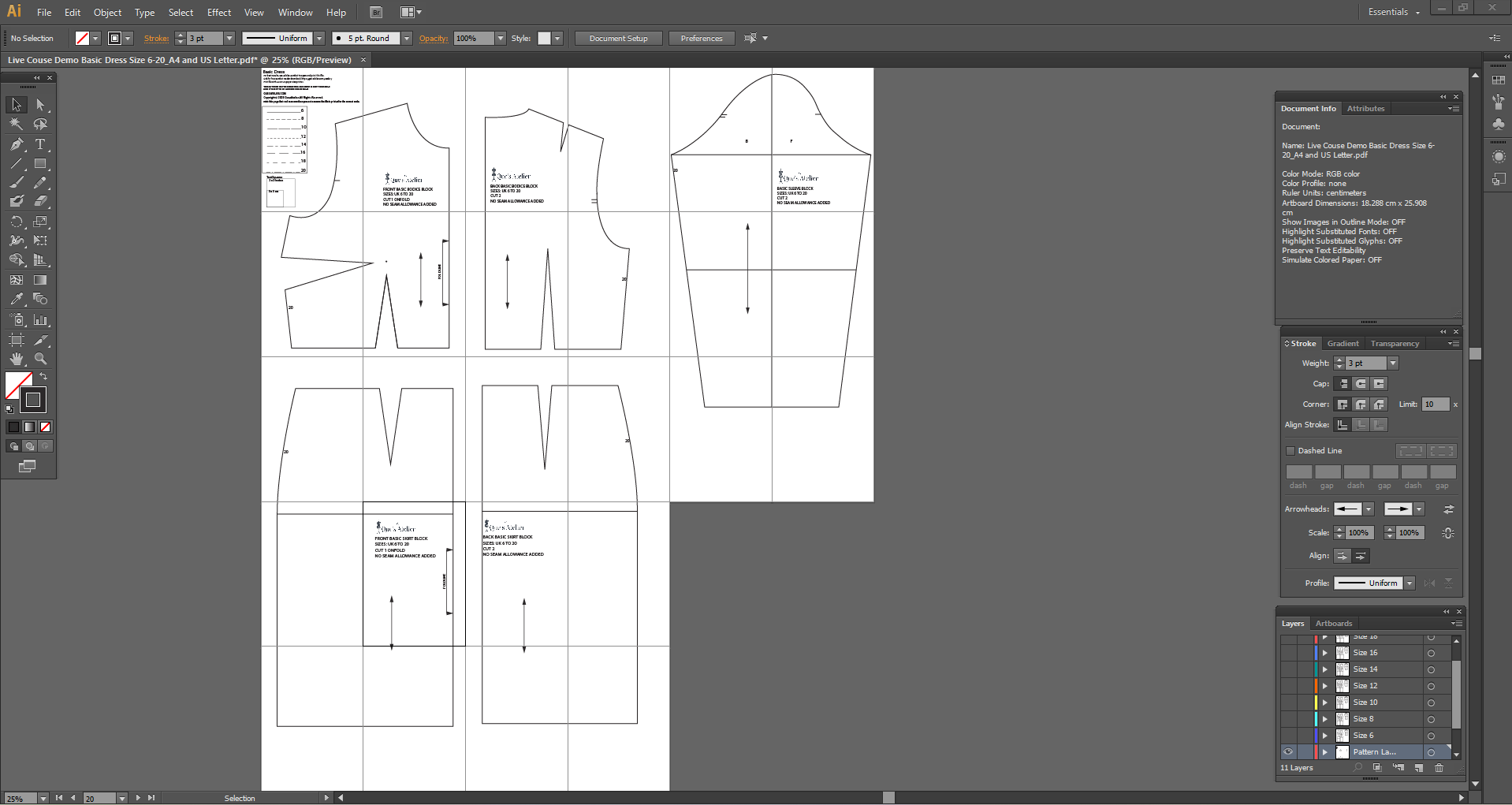
  • You will learn how to draft a basic bodice digitally.
  • You will learn the fundamentals of dart manipulation.
  • You will learn how to draft a basic skirt that goes with the basic bodice digitally.
  • You will learn how to draft the basic sleeve digitally.
  • You will learn how to prepare the patterns for printing and also for projection.
  • You will learn how to print, cut the pattern on a fabric and sew the dress.

Course Content

Digital Pattern Making Foundations
We'll begin by understanding how digital pattern making works and how your manually drafted pattern translates into a digital workflow.  You'll learn: The digital pattern workflow How to work with Adobe Illustrator How to set up your workspace and and document The realationship between your drafted pattern and it's digital version. The essential Illustrator tools you'll use throughout the course

Basic Bodice
We'll draft a professional basic bodice and use it as a foundation for our digital pattern-making work. You'll learn: How to draft the basic bodice How to identify and work with the basic bodice pieces How to develop your drafted pattern digitally How to apply Illustrator tools to your pattern-making process. 

Dart Manipulation
Dart Manipulation is one of the most useful pattern-making techniques to understand digitally. You'll learn: The fundamentals of dart manipulation How to move and manipulate darts digitally. How to create different dart positions How to apply dart manipulation to the bodice You'll use illustrator tools such as Scissors, Join, Group and Rotate as part of the process.

Basic Skirt
We'll draft a basic skirt and develop it digitally. You'll learn: How to draft the basic skirt How to work with the skirt digitally How to apply the digital workflow you've learnt to another pattern

Basic Sleeve
We'll draft a basic sleeve and develop it digitally. You'll learn:   How to draft the basic sleeve How the sleeve relates to the bodice How to develop the sleeve digitally

Preparing Patterns for Output
Once your pattern has been drafted and developed, it needs to be prepared correctly for the way it will be used. You'll learn how to prepare patterns for : Home Printing A0 printing at a copy shop Projector sewing You'll learn the different artboard and work-area requirement for each method. This part of the course is supported by step-by-step videos and homework, so you can apply what you've learned between the live sessions.

Putting It All Together
Finally, we'll bring all the pieces together and look at the complete workflow, from digital pattern to finished garment. You'll learn to: Combine the bodice, skirt and sleeve Prepare the completed pattern for practical use Print and assemble the pattern Cut the pattern on fabric Sew the Basic Dress You'll also see how the finished pattern can be used with a sewing projector. Because digital pattern making isn't just about creating lines on a screen. The goal is a pattern you can actually use.

Student Ratings & Reviews

No Review Yet
No Review Yet